
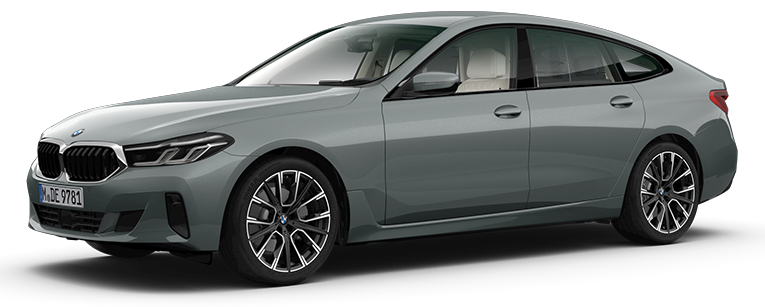
All Maps are available NEXT 2025, PREMIUM 2023/2025, EVO 2024-2, ROUTE 2024, WAY 2024 & LIVE 2024-3.
The Official 2025 BMW 6 Series GPS Map Update: Compatible with All Generations & Global Coverage
You do not have to be searching to find dangerous “free map downloads” when you can actually have the only sure way of getting a Sat Nav update to your BMW 6 Series. The iDrive in BMW is not easy; the F12 of 2012 with a CIC head unit needs a full different update to Navi compared to the 2019 G32 Gran Turismo with NBT EVO ID6. Generalizing on the incorrect file can spoil your GPS Navigation system, which will cost you hundreds of dollars to repair.
At Bimmer Navigation we do not get that risk at all. Our 2025 service will be available on all BMW 6 Series models (E63, E64, F06, F12, F13, G32) and on all systems (CCC, CIC, NBT, NBT EVO, MGU), and have a VIN-matched FSC activation code. You want PREMIUM maps of Europe, NEXT maps of North America, EVO maps of Australia, we have the process of ensuring a perfect, one hundred percent compatible update.
This is not just a file, it is a fully functioning professional service which is professionally managed to update your original OEM Nav and upgrade your drive without any fear.
There is only one sure way to tell your map type, that is to verify it on the screen of your iDrive. This takes less than a minute.
1. Go to the “Navigation” menu.
2. Tap the iDrive controller on the option button.
3. Choose a version of navigation system.
Such text will appear in the screen such as Road Map Europe NEXT 2019-1. Your precise type of map is in capital letters.
Use this table as a quick reference. Our team personally verifies your vehicle’s information using your VIN to ensure you get the exact right map files and FSC activation code. No guesswork, no compatibility issues—just a perfect fit, every time.
|
Note: For specific map types such as EVO ID4, EVO ID5/6, Live and WAY, please check their dedicated product pages for the correct update.
Simply provide the last 7 digits of your VIN when placing your order, and we’ll verify your navigation system to deliver the exact and latest update for your BMW — 100% guaranteed!
We provide the latest available official map data for every corner of the globe. It’s important to understand that BMW releases map updates for different regions and map types on different schedules. For example, the latest NEXT map for North America might be 2025, while the latest official NEXT map for Australia is 2023.
Our promise is simple: We always provide the absolute latest official version available from BMW for your specific car and your specific region. Our VIN check ensures this perfect match. Below is a general reference of recent versions:
| Regions | Latest Map Versions (2025) |
| Europe (East & West) | EVO 2025-2, NEXT 2025, PREMIUM 2025-2, ROUTE 2025, LIVE 2025-3, Move 2024, Motion 2024, JOY 2025-1 |
| North America/Canada/Puerto Rico and more. | EVO 2025-1, NEXT 2025, PREMIUM 2023, ROUTE 2022-2, LIVE 2025, WAY 2025-1 |
| Middle East/Africa | LIVE 2025, WAY 2025, EVO 2025, JOY 2025, NEXT 2023, Route 2023, Motion 2019, Move 2021 |
| Australia/New Zealand | EVO 2025, NEXT 2023, ROUTE 2024, LIVE 2024-2, PREMIUM 2020 |
| BMW Map Updates for Other Countries (such as Argentina, Israel, Japan, Korea, Russia, South America, Southeast Asia, Taiwan, Turkey, and others) | The Compatible map version will vary based on your BMW’s head unit and Region. We verify your VIN and send you the latest compatible BMW Navigation Map Update with FSC code for your region. |
There is no hassle of updating your map.
1. Choose Your Model: It is as easy as clicking on the drop-down list under the left side of this page and selecting your BMW 6 Series.
2. Your Selection: Next, select your Region, Type of FSC Code and Method of Delivery.
3. Add to Basket: When you have chosen what you want, add the item to your basket and checkout.
4. Check PIN: You will give the last 7 digits of VIN when you are checking out. Our team will verify your order detail with this and make sure that the match is absolutely perfect.
• Assured Fitment: We give a 100 percent perfect fit to your car. Based on your VIN, our system is able to choose the appropriate map data and FSC code of any head unit (CIC, NBT, EVO, MGU) and map type (NEXT, PREMIUM, WAY, etc.). No guesswork.
• Authentic & Certified Data: We offer only map data that is taken directly off of official BMW servers and this will be a safe and error-free update to your factory OEM Nav system.
• Human Support Professionalism: Our staff has a history of experience of more than 10 years in specialization in navigation systems of BMW only. We are also here to assist with the questions.
• Global Delivery and Coverage: We cover every part of the world. Or pick Digital Delivery and receive your update in less than 1 hour or our convenient pre-loaded USB shipping.
Specialist Services: We are the specialists in dealing with certain requests, such as official region changes on imported cars (e.g. switching US-spec cars to Europe maps).
A 2018 F06 Gran Coupé is equipped with the NBT EVO ID5/ID6 head unit, which requires EVO maps. Our update provides the latest official map files for this system. We will confirm everything with your VIN at checkout to ensure a perfect match.
Yes, the G32 GT is fully supported. It uses the modern NBT EVO and MGU head units, which are compatible with EVO, LIVE, and WAY maps depending on the production year. Your VIN will tell us exactly which version your car needs, guaranteeing compatibility.
Free BMW map downloads from torrents may be incomplete, outdated, or infected with malware. Fake FSC code generators can even brick your iDrive system. Our service provides official BMW map data with a guaranteed VIN-matched FSC code, giving you safety, reliability, and expert support.
One-Time FSC Code: Works only for the current map update. For every future update, you’ll need to purchase a new code.
Lifetime FSC Code: Permanently stored in BMW’s system for your VIN. By choosing lifetime, you become our lifetime FSC customer — hassle-free and future-proof. You’ll never need another code again; you’ll only need the latest map data when it’s released, which we provide for as low as $39.99.
No. BMW’s automatic (OTA) updates provide only small, country-specific patches and are free for 3–4 years through Connected Drive. After that, they require a costly subscription.
A manual BMW USB map update installs the full, official regional map database (e.g., all of Europe or North America). This ensures your navigation system is completely up to date, even after your OTA subscription expires — and it’s far more cost-effective long-term.
You won’t—because we personally verify everything using your VIN before we send the update. Our service is designed to update the map data for your car’s factory-installed navigation system. For example, if your BMW has EVO maps (from an NBT EVO system), the update will install the latest EVO map data for your chosen region. This process does not change your system to a newer map type like LIVE. In the rare case of an issue, our expert support team is ready to help you resolve it.
If you choose Digital Delivery, you’ll receive everything via email in under 1 hour. For USB Shipping, your pre-loaded USB stick will arrive in 3-10 business days with tracked delivery.
Yes! The process is simple. We include clear, step-by-step instructions with every order, and most users can complete the update using a USB stick in 30-60 minutes.
Not driving a BMW 6 Series? Browse Your BMW & MINI Navigation Map Updates by Model
| Car Model | 2010, 2011, 2012, 2013, 2014, 2015, 2016, 2017, 2018, 2019, 2020, 2021, 2022, 2023, 2024, 2025 |
|---|---|
| Map Released | 2023 EVO, 2023 LIVE, 2023 Premium, 2023 Route, 2023 WAY, 2024 NEXT |
| Delivery Method | Online Download, USB Shipment |
| Fsc Code Type | Life-Time, One-Time |
| Region | Argentina, Australia & New Zealand, China/HongKong/Macau, Europe East/West, India, Israel, Japan, Korea, Middle East Region, North Africa, North America, South Africa, South America, South East Asia, Taiwan, Turkey / Turkiye |


Our vision is rooted in the belief that every BMW and MINI owner deserves an exclusive customer experience, especially when it comes to upgrading and maintaining their vehicle’s navigation system. Whether you’re exploring options for a BMW navigation system update, a MINI Cooper map upgrade, or need help choosing the right FSC Code for your vehicle, our dedicated sales and support team is here to assist.
BMW and MINI are registered trademarks of Bayerische Motoren Werke AG.
Bimmer Navigation is not affiliated with BMW AG in any way. We are independent BMW/MINI specialist and we are not apart of the BMW AG in any way or form.
Design & Developed By Cloudminds
© 2026 Bimmer. All Right Reserved
Order with confidence. We verify your VIN to ensure you receive the absolute latest official update released for your specific vehicle and region.
You will receive the complete package:
Available Map Versions
Regions | Latest Available Versions |
North America | Evo 2025-2, Way 2025-2, JOY 2025-3, Live 2025-4, Next 2025, Premium 2023, Route 2022-2, Move 2022 |
Europe (East & West) | Evo 2025-2, Way 2026-1, JOY 2025-3, Live 2025-4, Premium 2025-2, Next 2025, Route 2025, Motion 2024, Move 2024 |
Australia / NZ | Evo 2025, Way 2024, Live 2025-1, Next 2023, Premium 2020, Route 2024, Motion 2021, Move 2017 |
Middle East | Evo 2025, Way 2025, JOY 2025-2, Live 2025-2, Premium 2020, Next 2023, Route 2020, Motion 2019 |
Israel | Evo 2020-1, Live 2025, Next 2019, Route 2019 |
Turkey | Evo 2023, JOY 2025, Premium 2020, Next 2020-1, Route 2019-2 |
South America | Evo 2020-1, Way 2024, Live 2025-1, Premium 2021, Next 2020, Route 2020, Move 2018 |
Argentina | Evo 2019-1, Next 2020, Route 2020 |
Southeast Asia | Evo 2025, Way 2026, JOY 2025-1, Live 2025-1, Premium 2021, Next 2023, Route 2020 |
India | Evo 2025, JOY 2025-2, Premium 2018, Next 2020-1, Route 2019-1 |
China / HK / Macau | Evo 2019-3, Premium 2019-2, Next 2019-2 |
Japan | Evo 2019-2, Premium 2019, Next 2019 |
Korea | Evo 2018-4, Premium 2019, Next 2019-2 |
Taiwan | Evo 2019-2, Premium 2020, Next 2020 |
Central Asia | JOY 2025 |
North Africa | Way 2023, Evo 2023, Next 2022, Route 2022 |
South Africa | Evo 2024, Premium 2020, Next 2023, Route 2020, Motion 2019 |

Automated page speed optimizations for fast site performance


Reviews
There are no reviews yet.