Let’s be honest, nothing ruins a drive faster than being led by outdated navigation. You’re cruising along, only to hit a dead-end or miss a new road. BMWs are built for smooth, luxurious experiences, but that stops when the maps are old.
And it’s not just annoying. Outdated maps can waste your fuel, time, and patience. Need to find a charging station or dodge traffic in a new area? Good luck with old data. Most drivers skip updates, thinking it’s hard or costly. It’s not.
In this BMW iDrive navigation update guide, we’ll show you how to update BMW navigation 2025 using a simple USB method—fast, easy, and dealership-free.
Before jumping in, make sure you’ve got the essentials ready:
Make sure your USB is formatted to exFAT or FAT32, depending on your vehicle’s requirements. BMW are picky about format, so don’t skip this step!
Find your Vehicle Identification Number (VIN) on the dashboard (visible through the windshield), on your registration documents, or in the iDrive system.
Head over to BMW’s official website or visit bimmer navigation for an easier and more streamlined solution. Many users prefer third-party solutions like this because of the faster download speeds and added convenience.
After you input the VIN, the responsive map will recognizer the correct map version for your car. You will then be prompted to install the update to the map. You need to ensure that you save the file directly on your USB (or transfer it there after downloading).
Turn your car on and plug the USB device into the available port (either in the center console or glove box). The files containing the new maps will be auto-detected by the system.
Installation will be necessary with guidance help of the iDrive system. Depending on the car and the size of the update, it can take half an hour to one hour.
Most of the time, you may drive your car in the process of updating; however, you must never take out the USB until the end of the process.
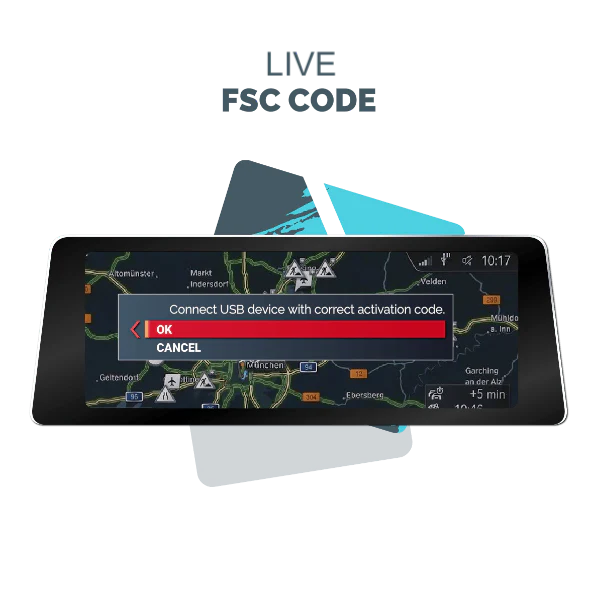
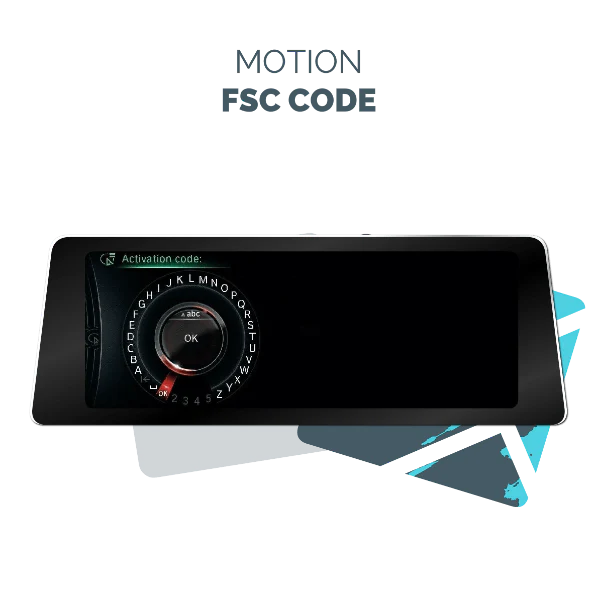
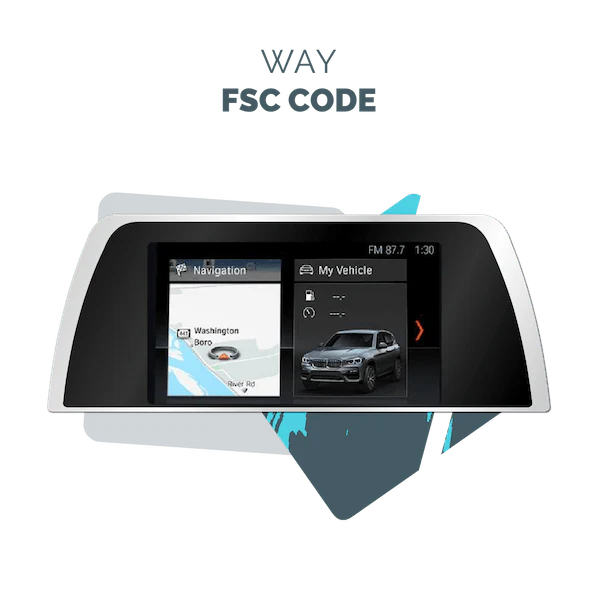
Some Navigation Map versions like NBT Next, CIC Premium, NBT EVO, NBT EVO ID4, CIC Move, Entry Motion and EntryNav Route require an activation code (FSC code) while in some newer Navigation GPS systems like NBT EVO ID5/6, NBT EVO ID7, MGU Way and MGU Live form 2016 to onwards require an activation file i.e.fsc file This can be purchased through BMW or via third-party providers like bimmernavigation, who usually provide it instantly with your update files.
Why use USB instead of going to the dealership or trying an over-the-air update?
Here’s why the USB method is king:
Your BMW’s iDrive system isn’t just about directions. It controls everything from media to vehicle settings, and its navigation system is one of the most advanced on the market.
By keeping your maps updated, you’re also ensuring:
If you’ve ever wondered where to start, this BMW iDrive navigation update guide has your back.
Even though the process is simple, here are a few mistakes to steer clear of:
Always ensure you’re using an official or trusted source—like bimmernavigation—for downloading your updates.
It is, however, preferable that you update your BMW navigator once or twice every year. BMW provides updates of maps frequently, particularly in high-cost areas in North America and Europe. The newer your maps, the better the driving experience.
It is quite sensible that you check available updates in case you are planning a long road trip or a relocation to a new city.
It is imperative to have your navigation system up to date, not only because it will be convenient, but also because it will make the drive smarter and safer. Never has this process been as convenient as with the BMW map update USB process. There are no wrong turn-offs, there are no guessing games, but you will have the perfect BMW performance, and to complement the performance, there is a contemporary navigation system.
Updating BMW navigation 2025 becomes your choice, whether on the highway or roaming new streets, it is important to know how this should be done. And when you rely on high-quality, trusted sources such as Bimmer Navigation, you have the opinion of an expert of the same level as your car.
Still Need the BMW or MINI Navigation Update?
Get the latest 2025 Map Data + FSC Code tailored to your BMW or MINI VIN and region.
Shop Here for BMW & MINI Map Updates including:
NEXT, Premium, EVO ID4/ID5/ID6, Move, Motion, Route, LIVE, Way, and more
Need just the FSC Code?
Order FSC Code Only (One-Time or Lifetime):
Fast Delivery via USB or Instant Download
VIN Check & Live Chat Support Available

Our vision is rooted in the belief that every BMW and MINI owner deserves an exclusive customer experience, especially when it comes to upgrading and maintaining their vehicle’s navigation system. Whether you’re exploring options for a BMW navigation system update, a MINI Cooper map upgrade, or need help choosing the right FSC Code for your vehicle, our dedicated sales and support team is here to assist.
BMW and MINI are registered trademarks of Bayerische Motoren Werke AG.
Bimmer Navigation is not affiliated with BMW AG in any way. We are independent BMW/MINI specialist and we are not apart of the BMW AG in any way or form.
Design & Developed By Cloudminds
© 2026 Bimmer. All Right Reserved
Order with confidence. We verify your VIN to ensure you receive the absolute latest official update released for your specific vehicle and region.
You will receive the complete package:
Available Map Versions
Regions | Latest Available Versions |
North America | Evo 2025-2, Way 2025-2, JOY 2025-3, Live 2025-4, Next 2025, Premium 2023, Route 2022-2, Move 2022 |
Europe (East & West) | Evo 2025-2, Way 2026-1, JOY 2025-3, Live 2025-4, Premium 2025-2, Next 2025, Route 2025, Motion 2024, Move 2024 |
Australia / NZ | Evo 2025, Way 2024, Live 2025-1, Next 2023, Premium 2020, Route 2024, Motion 2021, Move 2017 |
Middle East | Evo 2025, Way 2025, JOY 2025-2, Live 2025-2, Premium 2020, Next 2023, Route 2020, Motion 2019 |
Israel | Evo 2020-1, Live 2025, Next 2019, Route 2019 |
Turkey | Evo 2023, JOY 2025, Premium 2020, Next 2020-1, Route 2019-2 |
South America | Evo 2020-1, Way 2024, Live 2025-1, Premium 2021, Next 2020, Route 2020, Move 2018 |
Argentina | Evo 2019-1, Next 2020, Route 2020 |
Southeast Asia | Evo 2025, Way 2026, JOY 2025-1, Live 2025-1, Premium 2021, Next 2023, Route 2020 |
India | Evo 2025, JOY 2025-2, Premium 2018, Next 2020-1, Route 2019-1 |
China / HK / Macau | Evo 2019-3, Premium 2019-2, Next 2019-2 |
Japan | Evo 2019-2, Premium 2019, Next 2019 |
Korea | Evo 2018-4, Premium 2019, Next 2019-2 |
Taiwan | Evo 2019-2, Premium 2020, Next 2020 |
Central Asia | JOY 2025 |
North Africa | Way 2023, Evo 2023, Next 2022, Route 2022 |
South Africa | Evo 2024, Premium 2020, Next 2023, Route 2020, Motion 2019 |